A Beginner’s Guide for Small Municipalities
Asset Management can feel overwhelming, especially for small municipalities with limited resources. But at the heart of every effective Asset Management program is one simple, powerful tool: the Asset Register. Think of it as the foundation of your Asset Management house—without it, everything else feels unstable. But when it’s done right, it helps municipalities make informed decisions, plan for the future, and use their resources wisely.
What Is an Asset Register and Why Does It Matter?
An Asset Register is essentially a comprehensive inventory of all the assets a municipality owns. It lists not just what you have, but details about each asset—where it is, what condition it’s in, how old it is, and when it might need maintenance, repairs, or replacement. This could include everything from roads, water mains, and streetlights to playground equipment, municipal vehicles, and recreation facilities.
Why does it matter? Because you can’t manage what you don’t know exists. Without an asset register, municipalities often find themselves in a reactive cycle—dealing with breakdowns and emergencies as they happen instead of planning proactively. An asset register helps shift that mindset. It allows municipalities to:
- Understand the value of their infrastructure.
- Prioritize maintenance and replacement schedules.
- Make data-driven decisions about budgets and resources.
- Reduce the risk of unexpected failures and costly emergency repairs.
For small municipalities, this is even more critical. Limited budgets mean that every dollar counts, and having clear data about your assets helps ensure you’re spending wisely.
How to Create and Maintain an Asset Register: A Step-by-Step Guide
Starting an asset register can seem daunting, but it doesn’t have to be. Let’s walk through a practical example using a municipal recreation department. This will show how the process applies to real-world assets that are common in small communities.
Step 1: Identify What You Own
The first step is to list all the assets under the recreation department’s management. This could include parks, playgrounds, sports fields, community centers, splash pads, and equipment like mowers, scoreboards, and benches. Don’t worry about getting every detail perfect right away—the goal is to create a starting point.
For example, a small municipality might list:
- Community Recreation Center
- Baseball Diamond (including fences, bleachers, lighting)
- Public Park with Playground Equipment
- Lawn Maintenance Equipment (mowers, trimmers)
Walk through each facility, check records, and even talk to long-time staff who might have valuable knowledge about assets that aren’t well documented.
Step 2: Gather Key Information for Each Asset
Once you have the list, start collecting details about each asset. The basic information to capture includes:
- Asset Name: What is it?
- Location: Where is it?
- Description: What does it include?
- Date Acquired/Installed: When was it purchased or built?
- Condition: What’s the current state of the asset?
- Estimated Useful Life: How long is it expected to last?
- Replacement Cost: What would it cost to replace today?
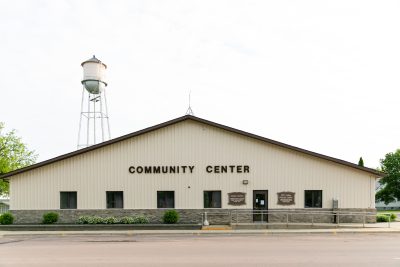
For example, the entry for the Recreation Center might look like this:
- Asset Name: Community Recreation Center
- Location: 123 Main Street
- Description: Multi-use building with gymnasium, meeting rooms, and office space
- Date Acquired: 1995
- Condition: Fair (recent HVAC issues noted)
- Estimated Useful Life: 50 years
- Replacement Cost: $2.5 million
Step 3: Choose a Format That Works for You
You don’t need fancy software to start an asset register. For many small municipalities, a simple Excel spreadsheet is more than enough. Spreadsheets are flexible, easy to update, and accessible to staff. Create columns for each data point you’re tracking, and make sure it’s stored somewhere secure but accessible to those who need it.
However, as your Asset Management program grows, you might consider transitioning to specialized Asset Management software that can automate data tracking, generate reports, and integrate with other municipal systems.
Step 4: Assess the Condition of Your Assets
Knowing what you own is one thing, but understanding the condition of each asset is where the real value lies. This can be as simple as visual inspections for smaller assets or more detailed assessments for critical infrastructure.
For example, playground equipment might be inspected for rust, structural damage, or wear and tear on moving parts. Buildings might require roof inspections, HVAC system checks, or foundation assessments. The key is consistency—using the same criteria each time so you can track changes over time.
Step 5: Keep It Updated
An asset register isn’t a “set-it-and-forget-it” tool. It needs to be updated regularly to reflect new purchases, replacements, maintenance activities, or condition changes. This could be done annually, after major projects, after new condition assessments or whenever significant changes occur.
For example, if the recreation department installs new LED field lighting at the arena, that should be added to the register, along with the installation date, cost, and expected lifespan.
Tips for Ensuring Accuracy and Usability with Limited Resources

Small municipalities often face challenges like limited staff, tight budgets, and competing priorities. But there are ways to build and maintain an effective asset register without overwhelming your team.
Start Small, Think Big: Don’t try to inventory everything at once. Start with one department (like recreation), get the process right, and then expand to other areas like water infrastructure, roads, or public buildings.
Leverage Existing Knowledge: Long-term staff often have invaluable insights about municipal assets, especially for older equipment or facilities without formal records. Interview them and capture that asset knowledge in your register.
Use What You Have: If your municipality already tracks maintenance schedules, work orders, or financial data, use that information to populate your asset register. There’s no need to reinvent the wheel.
Regular Check-Ins: Schedule regular times to review and update the register. Even setting aside one day each quarter can help keep the data accurate without becoming overwhelming.
Don’t Overcomplicate It: The goal is to create a practical tool, not a perfect one. Focus on information that helps with decision-making. It’s better to have a simple, regularly updated register than an overly complex one that nobody uses.
Why an Asset Register Matters for Decision-Making
An accurate, up-to-date asset register does more than just track what you own. It helps municipal leaders make better decisions about budgeting, maintenance, and long-term planning. It provides data to support funding applications, guides capital improvement plans, and helps avoid costly surprises when assets fail unexpectedly.
For example, if the asset register shows that multiple playground structures are nearing the end of their useful life, the municipality can plan replacements gradually over several budget cycles rather than facing a sudden, expensive overhaul.
Your Call to Action
Does your municipality have an asset register that helps guide decision-making, or are you still relying on informal knowledge and outdated records? What challenges have you faced in creating or maintaining your asset inventory?
I’d love to hear your experiences, ideas, and questions. Reach out to me:
- Phone: 204-384-7754
- Email: chad@buhlinam.ca
- LinkedIn: Chad Buhlin
Together, we can simplify Asset Management and build stronger, more resilient communities—one asset at a time.